
Comprehensive Protection Optimized Performance One Price
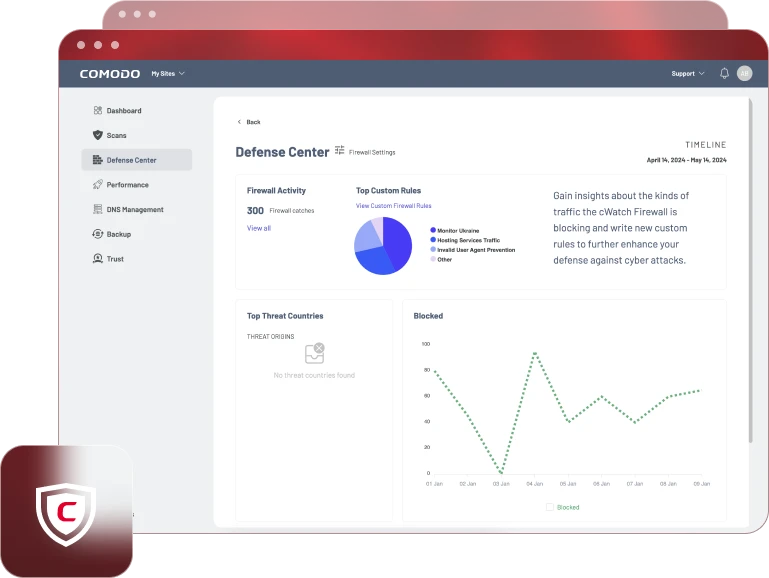
Secure every aspect of your website with Comodo Website Security. Experience the ultimate peace of mind with state-of-the-art defenses against threats, ensuring your site stays safe, fast, and always accessible.
Protect Your Website Today
Everything your website needs to stay secure
Annually -20%
Monthly
Annually -20%
$8.25 per month billed annually
- Daily Malware Scan
- Automated Malware Cleaning
- Expert Manual Cleaning
- Premium DNS
- Content Delivery Network (CDN)
- Web Application Firewall (WAF)
- Off-Site Website backup
Monthly
$9.99 per month
- Daily Malware Scan
- Automated Malware Cleaning
- Expert Manual Cleaning
- Premium DNS
- Content Delivery Network (CDN)
- Web Application Firewall (WAF)
- Off-Site Website backup
Always monitoring, so you don't need to.
Threats detected and stopped
15,000,000+
Protected websites
500,000+
Daily Scans
1,000,000+
CDN Data (GB)
500,000+
Files analyzed for malware
100,000,000,000+
Points of presence
25+
Platform Features
Everything your website needs to stay safe, secure, and speedy.
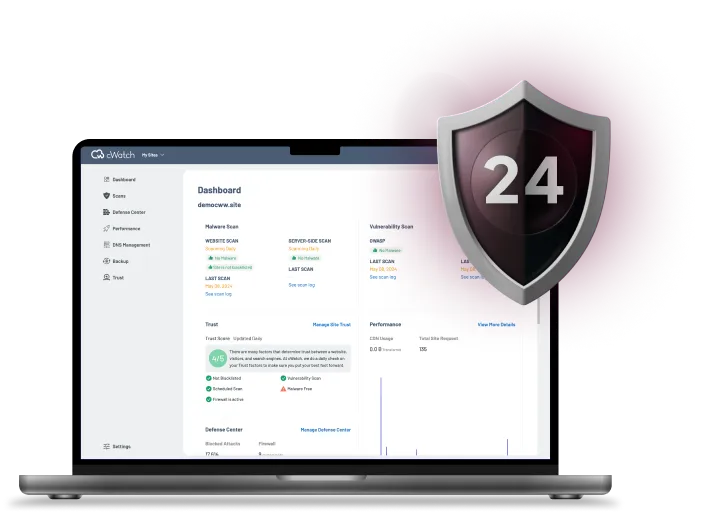
Daily Malware Scan
- Brand reputation and blacklist monitoring
- Vulnerability Detection
- Instant notifications
Malware Protection
- Daily malware scan
- Industry-leading malware database
- Automated malware removal
- Manual malware cleaning
Premium DNS
- Global Anycast DNS
- DNSSEC
- Load balancing
Website Backup
- Daily automatic file and database backup
- Easy restoration of files and content
- Supports all content management systems
- Secure encrypted, off-site storage
WAF
- DDoS Protection
- Malicious bot mitigation
- Brute force protection
- SQL injection protection
CDN
- Advanced speed acceleration
- Page asset preloading
- Image optimization
- Mobile optimization
Website Backup
- Daily automatic file and database backup
- Easy restoration of files and content
- Support all content management systems
- Secure encrypted, off-site storage
Comodo Website Security vs The Rest
| Company and Product | Comodo Website Security | Sucuri Basic | Sucuri Pro | Sucuri Business | SiteLock Basic | SiteLock Pro | SiteLock Business | JetPack Security | JetPack Complete | WorldFence Response |
|---|---|---|---|---|---|---|---|---|---|---|
| Malware | ||||||||||
| DNS | ||||||||||
| CDN | ||||||||||
| WAF | ||||||||||
| Backup | ||||||||||
| Annual Price | $99 | $199 | $299 | $499 | $149 | $249 | $349 | $239 | $599 | $950 |
Comodo Internet Security 2025: Endpoint Protection from the Future
CIS 2025 provides comprehensive security against all internet threats. As the only Zero Trust desktop solution, your PC is protected by a combination of Antivirus, Firewall, Realtime Scanning, and Application Sandboxing.
New for Comodo Internet Security 2025
- Enhanced Hardware Protection:
We’ve partnered with Intel to integrate Threat Detection Technology (TDT), providing hardware-level security. (Read the Press Release) - Faster Scanning with Microsoft:
In collaboration with Microsoft, we’ve enabled ByPassIO for even quicker scans on Windows. - Optimized User Experience:
Enjoy a completely revamped user interface and an optimized platform, delivering the same stability and reliability you trust.

Protect Your Website Today
Everything your website needs to stay secure
Annually -20%
Monthly
Annually -20%
$8.25 per month billed annually
- Daily Malware Scan
- Automated Malware Cleaning
- Expert Manual Cleaning
- Premium DNS
- Content Delivery Network (CDN)
- Web Application Firewall (WAF)
- Off-Site Website backup
Monthly
$9.99 per month
- Daily Malware Scan
- Automated Malware Cleaning
- Expert Manual Cleaning
- Premium DNS
- Content Delivery Network (CDN)
- Web Application Firewall (WAF)
- Off-Site Website backup